React Server Components Explained: Architecture, Benefits, and Best Practices (2026)
Deep dive into React Server Components (RSC) architecture. Learn the difference between server and client boundaries, bundle size optimization, and Next.js integration.


Key Takeaways
- React Server Components execute solely on the server, resulting in zero-kilobyte bundle footprints in the browser.
- RSCs have direct access to backend resources, including databases, microservices, and local file systems.
- Define boundaries between server and client components using the 'use client' directive to manage interactivity.
- Implementing RSCs improves First Contentful Paint (FCP) and SEO indexability by serve-rendering HTML pages.
React Server Components (RSC) represent a significant architectural shift in building web applications. Since the introduction of single-page application (SPA) frameworks, web development has relied on client-side rendering. While this approach enabled rich interactivity, it came at the cost of heavy JavaScript bundles, slow load times, and search engine crawling challenges.
React Server Components address these issues by splitting component execution between the server and client. With RSC, developers can build components that run exclusively on the server, allowing for direct database queries, zero-bundle rendering, and faster page loads.
This guide provides an advanced breakdown of React Server Components. We will cover RSC architecture, explain the boundaries between server and client components, share Next.js implementation examples, and analyze the performance benefits of this model.
[!NOTE] Implementing React Server Components improves page load speeds and search engine indexation. Use this guide alongside our Technical SEO Audit Checklist and Core Web Vitals Optimization Guide to optimize your site layouts.
What Are React Server Components?
React Server Components are components designed to execute solely on the web server. During a request, the server executes these components and streams a lightweight serialized JSON structure back to the browser. React then uses this stream to render the UI.
Because Server Components run only on the server, their dependencies—such as markdown parsers, database clients, or data formatting libraries—are not sent to the client. This results in zero-kilobyte browser bundles for server components, improving page loading speeds.
Server Components vs Client Components
To understand this architecture, compare the characteristics of Server and Client Components:
Server vs Client Components Comparison
| Aspect | React Server Components (RSC) | Client Components |
|---|---|---|
| Execution Environment | Executes solely on the web server | Runs in the client browser (after hydration) |
| Browser Bundle Size | Zero bytes (code is not sent to browser) | Included in browser JavaScript bundle |
| Data Fetching Access | Direct access to databases, APIs, filesystem | Fetch calls via API endpoints over HTTP |
| React Hooks Support | No (no useState, useEffect, etc.) | Yes (full support for all React hooks) |
| Interactivity | Static layout, no browser event handlers | Interactive (supports onClick, onChange, etc.) |
| Best Used For | Pages, layouts, data-fetching containers | Buttons, input forms, search bars, overlays |
RSC Architecture and Execution Flow
The core benefit of RSC is the split execution model. The server handles data fetching and static layout rendering, while the browser focuses on hydration and interactivity.
graph TD
    A[Browser URL Request] --> B[Web Server: Run RSC Tree]
    B --> C[Direct DB / API Fetching]
    B --> D[Render Server Components]
    C --> E[Generate RSC Payload JSON]
    D --> E
    E --> F[Stream HTML + JSON to Client]
    F --> G[Browser renders initial static HTML]
G --> H[Hydrate Client Components only]- RSC Payload Generation: When a page is requested, the server runs the RSC tree. It fetches data, executes component logic, and generates a serialized JSON structure called the RSC Payload.
- Streaming HTML: The server converts the RSC Payload into static HTML and streams it to the browser immediately, allowing the browser to display the layout before downloading client-side JavaScript.
- Client-Side Hydration: The browser downloads the client-side bundles and hydrates only the components marked with the
use clientdirective, leaving the server-rendered elements static.
RSC Payload Serialization Format
Under the hood, the server does not send standard HTML alone. It transmits the RSC Payload—a custom serialized JSON stream. This stream format represents the virtual DOM tree generated on the server. A typical RSC JSON stream entry might look like this:
M1:{"id":"./src/components/counter.tsx","name":"default","chunks":["client-counter"]}
J0:["$","div",null,{"className":"container","children":[["$","h1",null,{"children":"RSC Guide"}],["$","@M1",null,{}]]}]- →
M1identifies a Client Component reference (located incounter.tsx), referencing its bundle chunk. - →
J0describes the DOM structure. The$symbol denotes a React element, specifying the tag (div), properties (className), and children. The child["$","@M1",null,{}]acts as a placeholder where the Client Component will be hydrated in the browser.
Hydration Mechanics and Hydration Mismatches
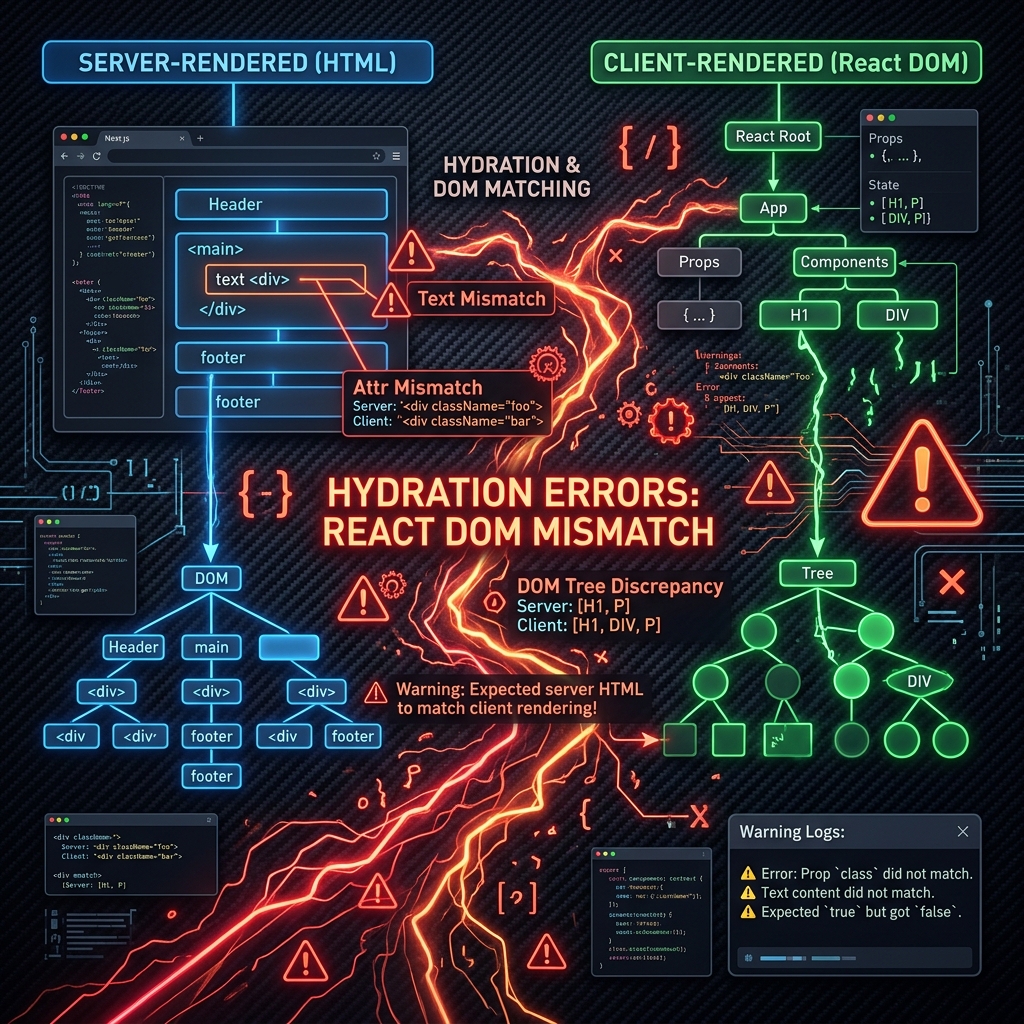
In traditional client-side rendering and static site generation, the browser must perform hydration—attaching event listeners to the server-rendered HTML. Hydration requires the browser to execute all Javascript files to reconstruct the exact same React tree as the server. If the browser React tree differs from the server-rendered HTML (due to timezone differences, browser extensions modifying HTML, or randomized IDs), a hydration mismatch occurs, triggering errors and slowing page load times.
With RSC, Server Components bypass the hydration phase altogether. Since they do not run in the browser, React does not evaluate them on the client. Only components with the "use client" directive are hydrated, reducing browser execution times and avoiding hydration mismatches on static parts of your layout.
Security and the "server-only" Package
Because Server Components run only on the server, they can access sensitive database details and API keys directly:
// Example of direct database query inside a Server Component
import { db } from "@/lib/db";

export async function getProductData(id: string) {
  return await db.select().from("products").where({ id });
}
However, if a developer accidentally imports a server-side module into a Client Component, that database code would leak into the browser bundle, exposing internal variables and keys.
To prevent this, use the server-only package:
- Install the package in your project:
npm install server-only- Add the import at the top of your server modules:
// src/lib/db-client.ts
import "server-only";

// This database code is now blocked from being imported by Client Components
export const db = new DatabaseConnection();
If a developer imports db-client.ts into a component with the "use client" directive, the build process will fail, preventing code leaks.
React Server Actions (Handling Mutations)
Data mutations typically require creating custom API route handlers (REST endpoints like /api/submit-comment) to receive browser client POST requests. React Server Components address this using Server Actions.
Server Actions are asynchronous functions defined with the "use server" directive. They allow you to handle database updates directly inside Server Components, eliminating the need to write separate API route handlers.
Example: Server Action Implementation
In this example, the Server Component renders a form, and the Server Action processes the form submission directly on the database:// src/components/submit-form.tsx
import { db } from "@/lib/db";
import { revalidatePath } from "next/cache";
export default function SubmitForm() {
// Define Server Action directly
async function addNewsletterSubscriber(formData: FormData) {
"use server"; // Declares this function runs exclusively on the server
const email = formData.get("email");
if (!email || typeof email !== "string") return;
// Direct database write
await db.insertInto("subscribers").values({ email });
// Revalidate sitemap paths to refresh cached layouts
revalidatePath("/newsletter/success");
}
return (
<form action={addNewsletterSubscriber} className="flex flex-col gap-4 max-w-sm">
<label htmlFor="email" className="text-sm font-semibold">Subscribe to TechSEO Insights</label>
<input
id="email"
name="email"
type="email"
placeholder="Enter email address"
required
className="px-3 py-2 border rounded-lg"
/>
<button
type="submit"
className="px-4 py-2 bg-primary text-white rounded-lg hover:bg-primary/90 transition-colors"
>
Subscribe
</button>
</form>
);
}Caching and Data Revalidation
The Next.js App Router implements extensive caching layers around Server Components to reduce database load and speed up response times:
- →Request Memoization: Duplicate fetch calls across the same rendering cycle are automatically deduplicated.
- →Data Cache: Fetch requests are cached across browser queries unless configured otherwise.
- →On-Demand Revalidation: Update cached content dynamically using
revalidatePathorrevalidateTagwithin Server Actions or route handlers.
// Example of revalidating a specific path cache after content updates
import { revalidatePath } from "next/cache";

export async function updateArticle() {
  "use server";
  // database logic...
  revalidatePath("/blog/react-server-components-explained");
}
Defining Boundaries: Server vs Client Components
To combine Server and Client Components effectively, you must understand how to define their boundaries.
The "use client" Directive
By default, all components in modern frameworks like Next.js App Router are treated as Server Components. To specify that a component should run on the client (enabling state hooks and event listeners), add the"use client" directive at the very top of the file.
// src/components/interactive-counter.tsx
"use client";

import { useState } from "react";

export default function InteractiveCounter() {
  const [count, setCount] = useState(0);

  return (
    <div className="flex flex-col items-center gap-4 p-4 border rounded-xl">
      <p className="text-lg">Current count: {count}</p>
      <button
        onClick={() => setCount(count + 1)}
        className="px-4 py-2 bg-primary text-white rounded-lg hover:bg-primary/80 transition-colors"
      >
        Increment Counter
      </button>
    </div>
  );
}
Composition Patterns
You cannot import a Server Component directly into a Client Component. Because Client Components execute in the browser, importing a Server Component would pull its server-only code (like database queries) into the browser bundle, causing compilation errors.Instead, use composition to pass Server Components as children to Client Components:
// src/app/dashboard/page.tsx
// This is a Server Component by default
import ClientLayout from "@/components/client-layout";
import ServerDataDisplay from "@/components/server-data-display";

export default function DashboardPage() {
  return (
    <ClientLayout>
      {/* Server Component is passed as children to the Client Component */}
      <ServerDataDisplay />
    </ClientLayout>
  );
}
Next.js Integration and Data Fetching
Next.js App Router is built on the React Server Components model. Data fetching in RSC is simple: because components execute on the server, you can use async/await directly in your component declarations.
Example: Server-Side Data Fetching
In this example, the component queries an external API directly during rendering:// src/app/blog/[slug]/page.tsx
import { notFound } from "next/navigation";
import type { Metadata } from "next";
interface ArticlePageProps {
params: Promise<{ slug: string }>;
}
interface BlogPost {
id: string;
title: string;
body: string;
}
// Fetch data directly on the server
async function fetchBlogPost(slug: string): Promise<BlogPost | null> {
const response = await fetch(`https://api.seotech.app/posts/${slug}`, {
next: { revalidate: 3600 }, // Cache and revalidate data hourly
});
if (!response.ok) return null;
return response.json();
}
export async function generateMetadata({
params,
}: ArticlePageProps): Promise<Metadata> {
const { slug } = await params;
const post = await fetchBlogPost(slug);
if (!post) return {};
return {
title: `${post.title} | TechSEO Insights`,
description: post.body.substring(0, 150),
};
}
export default async function BlogPostPage({ params }: ArticlePageProps) {
const { slug } = await params;
const post = await fetchBlogPost(slug);
if (!post) notFound();
return (
<article className="mx-auto max-w-3xl px-6 py-12">
<h1 className="text-4xl font-bold mb-6">{post.title}</h1>
<div className="prose leading-relaxed">
<p>{post.body}</p>
</div>
</article>
);
}For more details on Next.js performance and routing configurations, review our Next.js SEO Guide.
Performance and Bundle Size Analysis
Adopting React Server Components provides significant performance benefits:
RSC Performance Indicators
| Metric Category | Client-Side Hydration | RSC Architecture | Performance Impact |
|---|---|---|---|
| First Contentful Paint (FCP) | Delayed (waiting for JS execution) | Rapid (direct HTML stream display) | Up to 40% speed improvement |
| Time to Interactive (TTI) | Delayed (heavy hydration workloads) | Fast (only dynamic elements hydrated) | Faster responsiveness on mobile |
| JS Bundle Size | Large (includes all rendering code) | Minimal (only client components sent) | Faster load speeds on low networks |
| Crawl Indexability | Low (if client-rendering fails) | 100% (crawlers see fully rendered HTML) | Solid SEO indexability index |
Zero Bundle Size Impact
In traditional SPAs, importing a large library (like a markdown parser or a charting package) adds the entire library size to your browser bundle.With RSC, because the libraries are only needed on the server to generate HTML, they are excluded from the client-side JavaScript. This allows you to use heavy npm packages on your server without slowing down your site speed.
Best Practices for React Server Components
To implement RSC effectively, follow these best practices:
- →Keep Client Components small: Place
"use client"directives at the leaf nodes of your component tree. Keep layouts, page wraps, and database containers as Server Components, and use Client Components only for specific interactive elements (like search inputs or buttons). - →Share data safely: Do not pass raw server-side secrets or API credentials as props to Client Components.
- →Utilize Suspense boundaries: Use React's
Suspensecomponent to wrap slow Server Components, allowing the rest of the page to load while data is being fetched. - →Optimize Internal Linking: Ensure your server-rendered navigation uses clean HTML anchor tags (
<a>) to help crawlers navigate the site. For details on scaling this, check our Programmatic SEO Guide.
React & Next.js SEO Implementation Checklist
- Use Next.js: Metadata API to configure static and dynamic title and description fields.
- Leverage React: Server Components (RSC) to reduce client-side bundle sizes.
- Implement Server-Side: Rendering (SSR) or Static Site Generation (SSG) for fast loading.
- Optimize images: using the native
<Image />component with correct layout sizes.
Common React & Next.js SEO Mistakes
- →Fetching SEO-critical: metadata inside client-side components that search crawlers cannot index.
- →Using full: page reloads instead of Next.js
<Link>components, breaking single-page hydration. - →Hydrating large: React libraries client-side, causing slow Interaction to Next Paint (INP).
- →Neglecting semantic: HTML tags in component design, causing accessibility and hierarchy errors.
Conclusion
Successful execution of React Server Components Explained: Architecture, Benefits, and Best Practices (2026) strategies is foundational to securing your digital marketing success in 2026. Without precise technical structure and expert-level implementation, it is impossible to protect domain authority, satisfy search bots, and understand customer paths.Audit your setup regularly, focus on high-quality content that meets E-E-A-T expectations, and monitor performance indicators closely.
To deepen your technical expertise, read our guides on React Server Components and SEO: The Future of Web Rendering, Next.js Performance Optimization: Advanced Techniques for 2026, and Next.js SEO Guide: Best Practices for App Router & Metadata (2026).
Official References
Frequently Asked Questions
What are React Server Components?
React Server Components (RSC) are a new type of React component that executes exclusively on the server, generating static HTML and JSON streams that are sent to the client without browser-side JavaScript bundle costs.
How do Server Components differ from Client Components?
Server Components run on the server, have direct access to database resources, and cannot use state hooks (useState) or browser events. Client Components use the 'use client' directive, run in the browser, and support interactivity.
Do Server Components replace Server-Side Rendering (SSR)?
No, RSCs do not replace SSR. Instead, they work together. SSR is a method of rendering HTML from a React tree, while RSCs allow you to mix server-only components with client-hydrated components in the same tree.
Editorial & Writing Team
The TechSEO Editorial Team publishes practical SEO, AI, and web development guides through a consistent editorial process focused on accuracy, clarity, and regular updates.
Subscribe to TechSEO Insights
Get the latest guides on technical SEO, Core Web Vitals, and content marketing delivered straight to your inbox.
Privacy Note: By subscribing, you agree to receive our newsletter (Lawful Basis: Consent). We retain your email address until you choose to unsubscribe. For more details, view our Privacy Policy.