Robots.txt Best Practices for Modern Websites
Master robots.txt configuration to guide search engine crawlers, protect crawl budget, and prevent indexing problems on your website.
Key Takeaways
- Robots.txt is a crawl directive, not an indexing directive
- Blocking CSS and JS can prevent [Google](/blog/google-analytics-4-guide) from rendering pages correctly
- Use the sitemap directive to help crawlers discover your content
- Test all robots.txt changes before deploying to production
- Different user-agents may need different rules
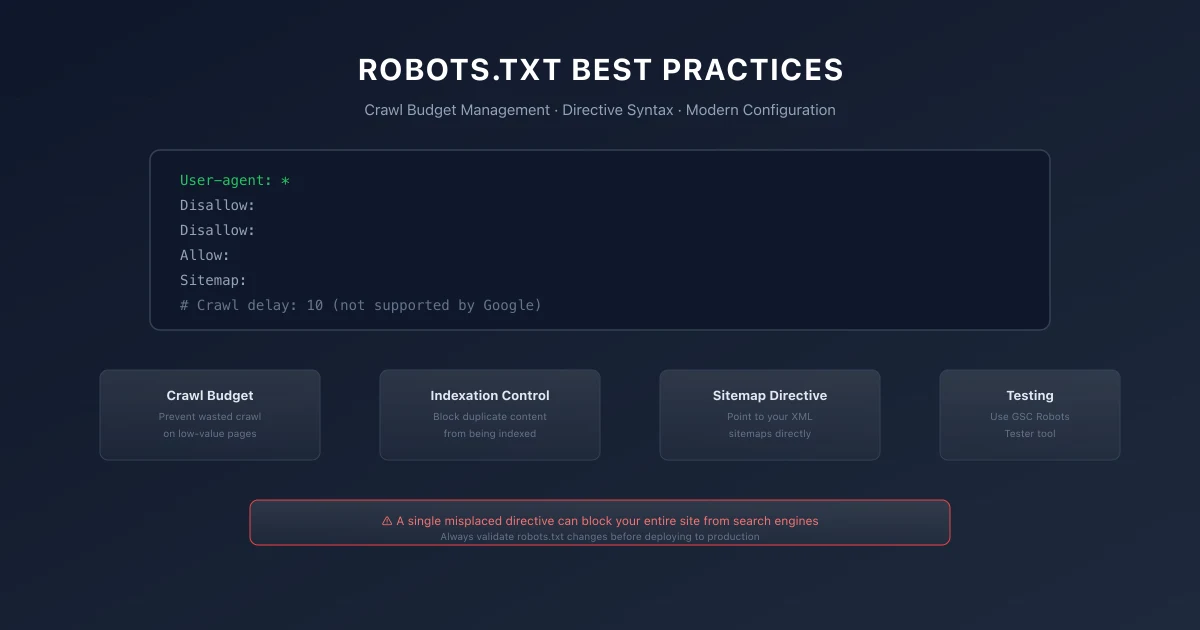
The robots.txt file is one of the most powerful tools in your technical SEO arsenal. A single misplaced directive can block your entire site from search engines. A well-configured robots.txt ensures crawlers focus on your most important content.
Despite its simplicity, robots.txt causes countless SEO problems. Blocking CSS and JavaScript files used to be standard practice but now harms rendering. Using disallow when you meant to allow prevents entire sections from being indexed. Understanding exactly how robots.txt works prevents these costly mistakes.
1. How Robots.txt Works
Robots.txt is a plain text file placed in the root directory of your website. When search engine crawlers visit your site, they check for this file first. The file tells them which parts of the site they are allowed to crawl and which parts they should avoid.
The key distinction: robots.txt controls crawling, not indexing. If you block a URL with robots.txt but other sites link to it, Google may still index that URL. The search engine will show it in results without being able to crawl the content. This often results in sparse or missing snippets.
2. Syntax and Directives
The robots.txt file follows a specific syntax. Each user-agent declaration starts a group of rules that apply to that specific crawler.
User-Agent
The user-agent directive specifies which crawler the rules apply to. Use an asterisk to apply rules to all crawlers. Specify Googlebot to target Google specifically.Allow and Disallow
The allow and disallow directives tell crawlers which paths they can and cannot access. Disallow blocks crawling. Allow permits it, overriding a disallow for a more specific path.
Use disallow to block crawlers from:
- →Admin and login pages
- →Internal search results
- →Duplicate content pages
- →Staging or development environments
- →Thank-you or confirmation pages
- →CSS and JavaScript files
- →Image files (unless you want to prevent image search)
- →Content you want indexed
Crawl-Delay
The crawl-delay directive tells crawlers how many seconds to wait between requests. This can help reduce server load but is not supported by Googlebot. Google controls crawl rate through its own algorithms and Search Console settings.Sitemap Directive
The sitemap directive points crawlers to your XML sitemap location. Place this at the bottom of your robots.txt file. Include one sitemap directive for each sitemap or sitemap index file.A complete robots.txt file looks like this:
User-agent: * Disallow: /admin/ Disallow: /search/ Allow: /admin/css/ Allow: /admin/js/
Sitemap: https://example.com/sitemap.xml
3. Common Robots.txt Mistakes
Blocking CSS and JavaScript
Many older guides recommend blocking CSS and JavaScript files. This was correct advice when Google could not render pages. Google now renders pages using modern browsers. Blocking these resources prevents Google from understanding your page layout, measuring Core Web Vitals, and seeing content loaded dynamically.Using Disallow for Noindex Pages
Robots.txt does not prevent indexing. If you want to prevent a page from appearing in search results, use the noindex meta tag or HTTP header instead of robots.txt. Using robots.txt to block pages you want to noindex creates a situation where Google cannot crawl the page to see the noindex directive.Incorrect Wildcard Usage
Robots.txt supports limited wildcards. An asterisk matches any sequence of characters. A dollar sign matches the end of a URL. Test wildcard patterns thoroughly because unexpected matches can block more than intended.Forgetting the Sitemap Directive
Including your sitemap URL in robots.txt gives crawlers an immediate starting point. This is especially important for new sites with few external links. Always include the sitemap directive.4. Testing Your Robots.txt with a Robots.txt Tester
Always test robots.txt changes before deploying to production. Google Search Console provides a dedicated robots.txt tester that shows exactly how Googlebot interprets your directives. Using a robots.txt tester allows you to verify code blocks and ensure search crawlers can read key resources without accidental site-wide blocks.
When testing, check:
- →Can Googlebot reach your homepage?
- →Are CSS and JS files accessible?
- →Are pages you want indexed allowed?
- →Are pages you want blocked actually blocked?
- →Does the sitemap directive point to the correct URL?
5. Different Crawlers, Different Rules
Different search engines may need different rules. Googlebot, Bingbot, and other crawlers have distinct behaviors. You can specify rules for each user-agent.
Consider creating specialized rules for:
- →Googlebot Image for image crawling
- →Googlebot Video for video crawling
- →Googlebot News for news crawling
- →AdsBot for ad quality evaluation
6. Monitoring Robots.txt Impact
Monitor your robots.txt impact through crawl statistics in Google Search Console. A significant decrease in crawled pages may indicate your robots.txt is blocking important content.
Set up alerts for robots.txt changes in your monitoring system. An accidental change to robots.txt can take days to detect without proper monitoring. Automated checks that verify your robots.txt daily catch problems early.
For a comprehensive audit approach, see our technical SEO audit checklist.
For sitemap best practices, see our XML sitemaps guide.
7. Standard robots.txt Template and Generators
If you want to quickly generate crawl directives for complex site structures, using an automated robots.txt generator is the most reliable way to avoid syntax errors. Below is a standard template that a typical robots.txt generator produces:
User-agent: *
Allow: /
Disallow: /api/
Disallow: /admin/

Sitemap: https://technical-seo.pages.dev/sitemap.xml
8. Robots.txt Implementation Checklist
- Verify Sitemap Link: Include the absolute URL to your XML index at the bottom.
- Check Blocked Folders: Confirm that only non-public admin/staging areas are disallowed.
- Test Directives: Validate parsing behavior in the Google Search Console robots tester.
- Confirm Crawler Access: Ensure robots.txt is not blocking standard search crawler bots.
9. Common Robots.txt Mistakes
- →**Accidentally blocking the entire production site using a wildcard
Disallow:** /directive. - →Disallowing crawl: access to CSS, JS, or image asset directories, breaking page rendering.
- →Using robots.txt: to hide sensitive pages that should instead use a
noindexmeta tag. - →Adding casing: errors in path directives, as robots.txt rules are case-sensitive.
10. Official References
11. Conclusion
Successful execution of Robots.txt Best Practices for Modern Websites strategies is foundational to securing your digital marketing success in 2026. Without precise technical structure and expert-level implementation, it is impossible to protect domain authority, satisfy search bots, and understand customer paths.
Audit your setup regularly, focus on high-quality content that meets E-E-A-T expectations, and monitor performance indicators closely.
To deepen your technical expertise, read our guides on Google AI Overviews and AI Mode SEO: A Practical Visibility Framework (2026), Core Web Vitals Debugging Playbook: Diagnose and Fix LCP, INP, and CLS Issues, and Internal Linking Strategy for SEO: A Complete Framework.
Official References
Frequently Asked Questions
Does robots.txt prevent indexing?
No. Robots.txt only prevents crawling. Google may still index URLs blocked by robots.txt if they are discovered through other signals.
Should I block Googlebot from crawling my admin section?
Yes. Block admin and login pages to prevent them from appearing in search results and to save crawl budget.
How long does it take for robots.txt changes to take effect?
Changes take effect immediately for subsequent crawls. Googlebot checks robots.txt every time it crawls your site.
Can I use robots.txt to block specific file types?
Yes. Use pattern matching to block file extensions. For example, Disallow: /*.pdf$ blocks all PDF files from being crawled.
What happens if my robots.txt file is missing?
Crawlers assume all URLs are allowed when no robots.txt exists. This is fine for most sites. The absence of robots.txt does not harm SEO.

Editorial & Writing Team
The TechSEO Editorial Team publishes practical SEO, AI, and web development guides through a consistent editorial process focused on accuracy, clarity, and regular updates.
Subscribe to TechSEO Insights
Get the latest guides on technical SEO, Core Web Vitals, and content marketing delivered straight to your inbox.
Privacy Note: By subscribing, you agree to receive our newsletter (Lawful Basis: Consent). We retain your email address until you choose to unsubscribe. For more details, view our Privacy Policy.