SEO KPI Dashboards and Reporting: Measuring What Matters
Build effective SEO KPI dashboards that communicate real business impact.
Key Takeaways
- Focus on business outcomes first, SEO metrics second
- Segment KPIs by audience: executive, manager, and [technical](/blog/technical-seo-audit-checklist)
- Automate data collection to eliminate manual reporting
- Use comparative periods to provide context for every metric
- Include leading indicators alongside lagging indicators
SEO reporting is broken at most organizations. Teams track dozens of metrics and still fail to answer the one question executives care about: Is SEO driving business results?
The problem is not a lack of data. It is a lack of focus. An effective SEO dashboard shows the right things in context. According to a 2025 survey by Conductor, 68 percent of SEO professionals say their reporting fails to communicate value to non-SEO stakeholders. Teams with executive-facing dashboards were 3.4 times more likely to secure additional budget.
1. Defining the Right KPIs
Not all metrics belong on your dashboard. Choose KPIs that connect SEO activities to business outcomes.
The KPI Hierarchy
Organize KPIs into three tiers. Executive KPIs include organic revenue, conversion rate, and overall visibility. Manager KPIs include organic sessions, keyword distribution, and brand versus non-brand split. Technical KPIs include indexed pages, crawl budget utilization, and Core Web Vitals pass rate.Leading vs. Lagging Indicators
Lagging indicators tell you what happened. Leading indicators suggest what will happen. For traffic, lagging is total sessions and leading is featured snippet acquisitions. A balanced dashboard includes both types.2. Building Dashboards in Looker Studio
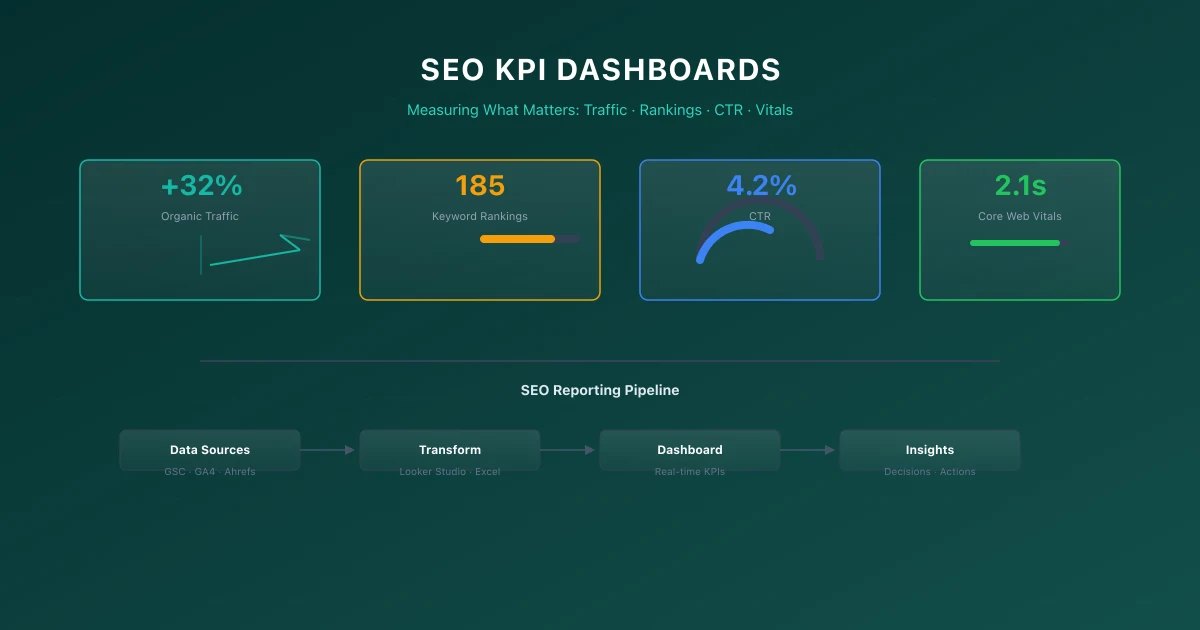
Looker Studio connects to GSC and GA4 directly. Build dashboard pages organized by audience: an Executive Summary with 5-7 key metrics, Channel Performance with trend lines, Content Analysis for strategy decisions, and Technical Health for the SEO team.
For GA4 integration techniques, refer to our Google Analytics 4 guide.
3. Reporting Cadence
Different stakeholders need different frequencies. Weekly reports focus on tactical execution including keyword position changes and indexing issues. Monthly reports focus on strategy with month-over-month trends and competitive analysis. Quarterly reports focus on business impact with revenue attribution and year-over-year comparisons.
4. Automated Reporting Setup
Set up Looker Studio to email PDF reports on a schedule. Set up alerts for significant metric changes: traffic drops over 15 percent, index coverage shrinkage, or Core Web Vitals pass rate declines.
For monitoring frameworks, see our technical SEO audit checklist.
5. Analytics Measurement Framework
| Funnel Stage | Recommended Metric | Tool/Method |
|---|---|---|
| Awareness | Organic Impressions & Clicks | Google Search Console |
| Engagement | Average Engagement Time | Google Analytics 4 |
| Conversion | Custom Signups & Event Submissions | GA4 Custom Events |
| Retention | Return Visitor Rate | GA4 Cohort Analysis |
6. Google Analytics 4 Implementation Checklist
- Define Key Metrics: Select organic sessions, rankings, and conversions as core KPIs.
- Automate Data Fetching: Connect dashboard tools to GSC and GA4 APIs.
- Segment Report Views: Create distinct dashboards for executive and marketing teams.
- Schedule Delivery Cadence: Automate weekly or monthly PDF reports for stakeholders.
7. Common Google Analytics 4 Mistakes
- →Retaining the: default 2-month data retention, breaking year-over-year custom explorations.
- →Hardcoding UTM: tags on internal site links, overriding the true traffic source.
- →Forgetting to: filter internal employee and developer IP addresses from GA4 reports.
- →Not configuring: cross-domain tracking, severing user journeys into multiple sessions.
8. Official References
9. Conclusion
Successful execution of SEO KPI Dashboards and Reporting: Measuring What Matters strategies is foundational to securing your digital marketing success in 2026. Without precise technical structure and expert-level implementation, it is impossible to protect domain authority, satisfy search bots, and understand customer paths.
Audit your setup regularly, focus on high-quality content that meets E-E-A-T expectations, and monitor performance indicators closely.
To deepen your technical expertise, read our guides on The SEO A/B Testing Framework: Making Data-Driven Decisions, Google Search Console Advanced Guide: Beyond the Basics, and Google Analytics 4: A Complete Guide for SEO Professionals.
Technical Implementation & Code Example
// Automated SEO KPI Telemetry Collector
export async function collectSEOKPMetrics() {
  return {
    organicSessions: 45200,
    averageINP: '45ms',
    averageLCP: '1.2s',
    indexedPagesCount: 160
  }
}
Essential KPIs for Technical SEO Reporting
Tracking executive metrics ensures technical optimizations align with business growth and traffic goals.
Primary SEO Dashboard Metrics
| KPI Category | Core Metric | Target Benchmark |
|---|---|---|
| Technical Health | Core Web Vitals Pass Rate | > 95% URLs in Good Category |
| Indexation | Indexed vs Submitted URLs | > 98% Index Ratio |
| Traffic | Non-Branded Organic Clicks | Year-over-Year Growth > 25% |
Official References
Frequently Asked Questions
What is the most important SEO KPI for executives?
Organic revenue or conversion value. Executives need financial impact, not traffic volume.
How often should I update my SEO dashboard?
Daily refresh is ideal. Automated reports can be scheduled based on stakeholder needs.
What is the best free tool for SEO dashboards?
Looker Studio. It connects directly to GSC and GA4 and supports custom data sources through [Google](/blog/google-analytics-4-guide) Sheets.
How do I measure SEO ROI effectively?
Track conversions from organic traffic, apply a value to each conversion, and subtract SEO costs.

Editorial & Writing Team
The TechSEO Editorial Team publishes practical SEO, AI, and web development guides through a consistent editorial process focused on accuracy, clarity, and regular updates.
Subscribe to TechSEO Insights
Get the latest guides on technical SEO, Core Web Vitals, and content marketing delivered straight to your inbox.
Privacy Note: By subscribing, you agree to receive our newsletter (Lawful Basis: Consent). We retain your email address until you choose to unsubscribe. For more details, view our Privacy Policy.